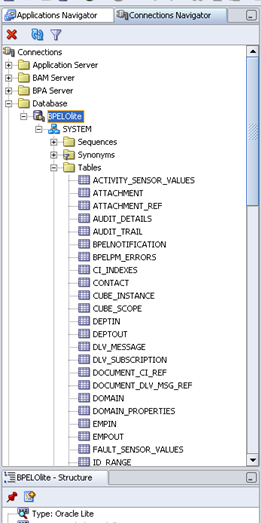
With SOA Suite by default we get to install the Oracle Olite Database and in this article i will explain how to make a connection to that database explicitly from different tools
Method 1:
Open command prompt
Navigation: Start >> Run >> cmd
Then navigate to the directory
SOA_HOMEbpelbin
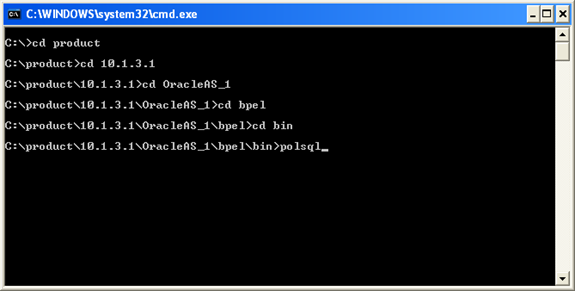
Once you are in bin directory enter polsql and click enter button
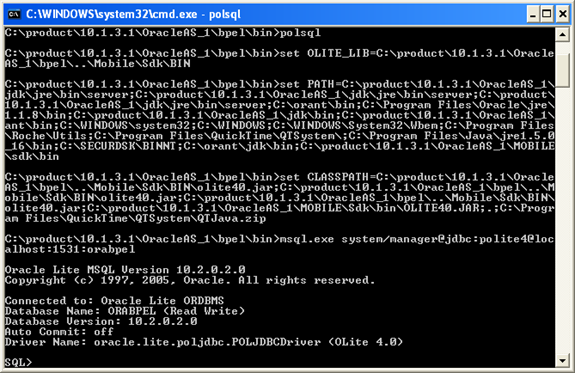
You are connected to Oracle Mobile lite database
Method 2: Using JDeveloper
Open jDevelper and open Create Database Connection wizard
Navigation: File >> New
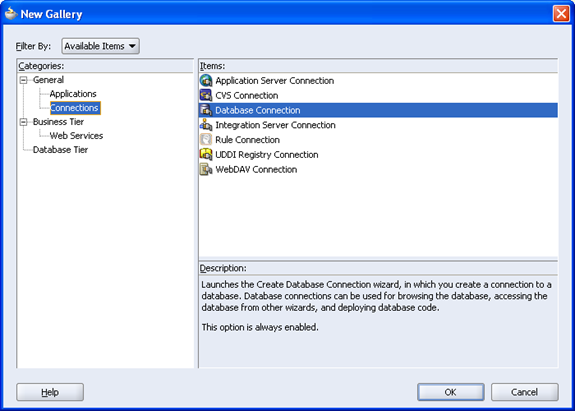
Click OK
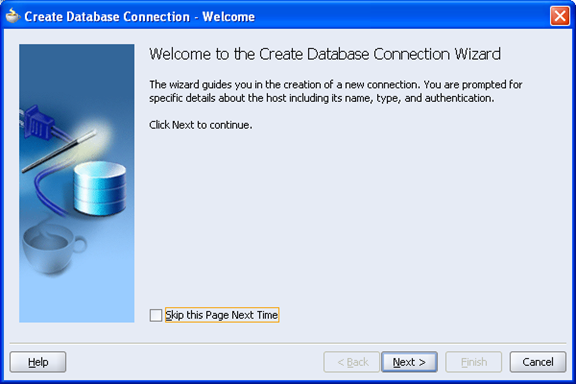
Click Next
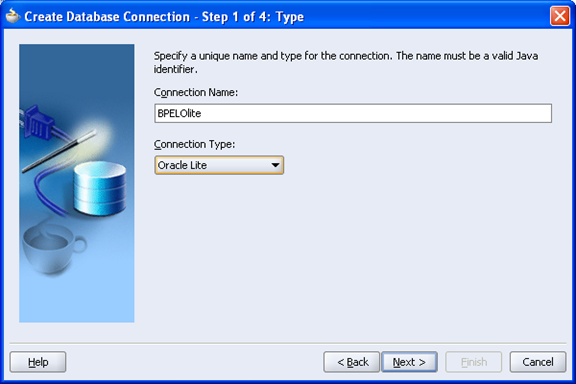
Enter connection Name and then change Connection type to ‘OracleOlite’
Click Next
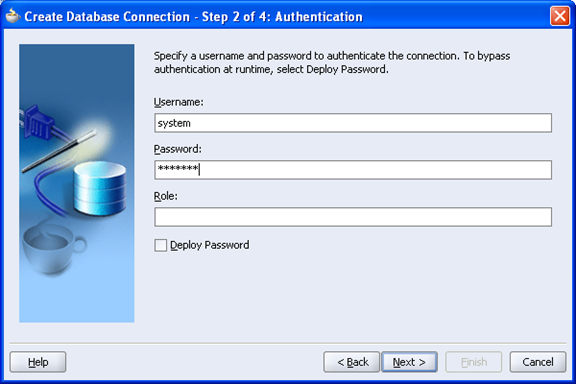
UserName: system
Password: Manager
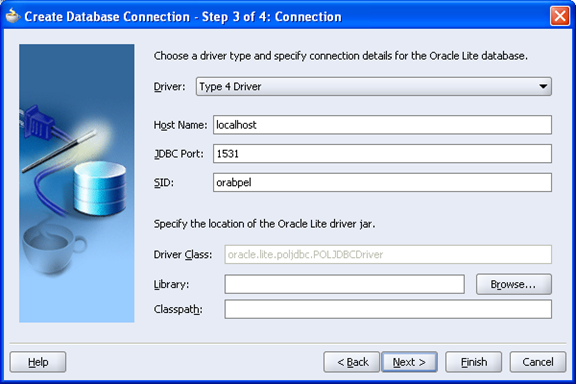
Driver: Type 4 Driver
Hostname: localhost
JDBC Port: 1531
SID: orabpel
Driver class: leave default value
Library: click Browse
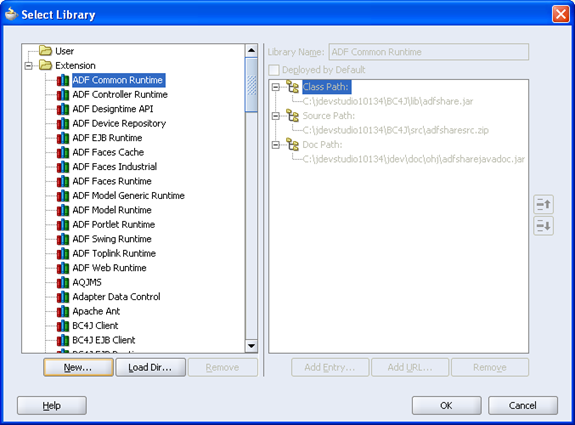
Click New
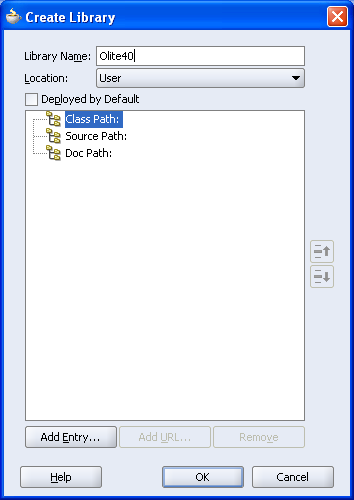
Library Name: Olite40
Location: User
Class Path: Select and Add Entry Button
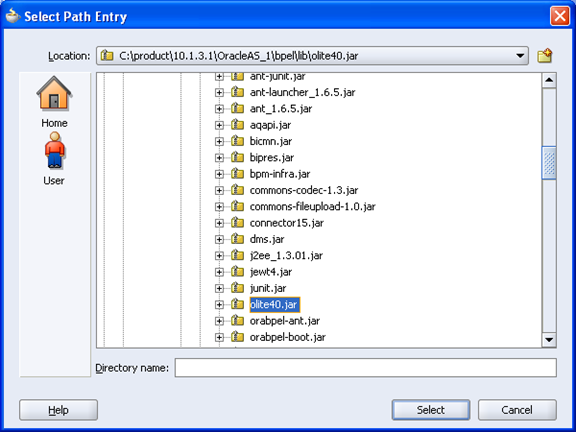
Select Olite40.jar file from SOA_HOMEbpellibolite40.jar
Click Select
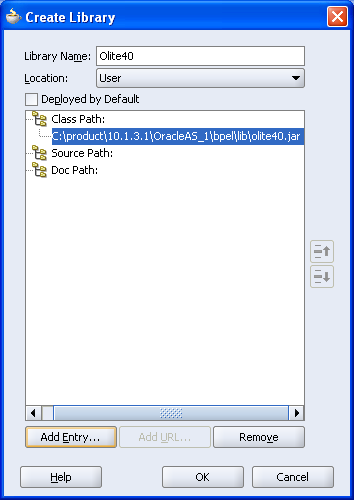
Click OK
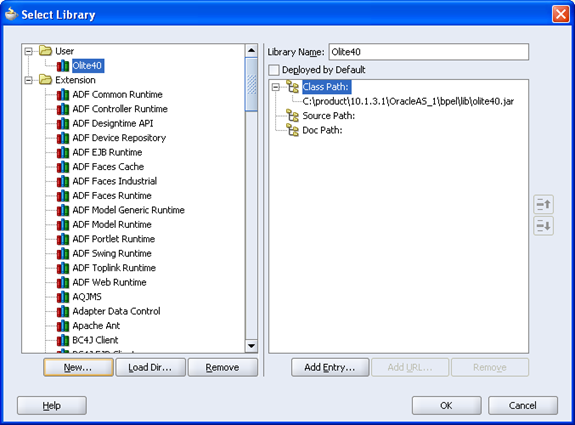
Click OK
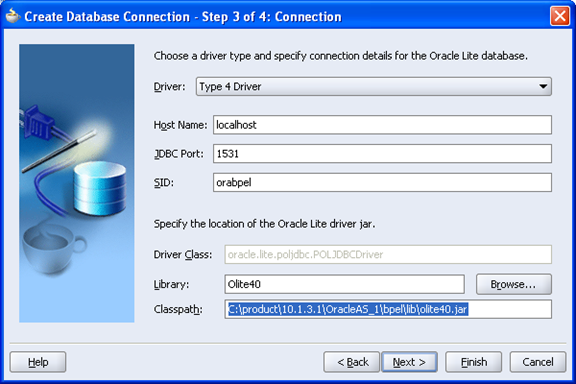
Click Next
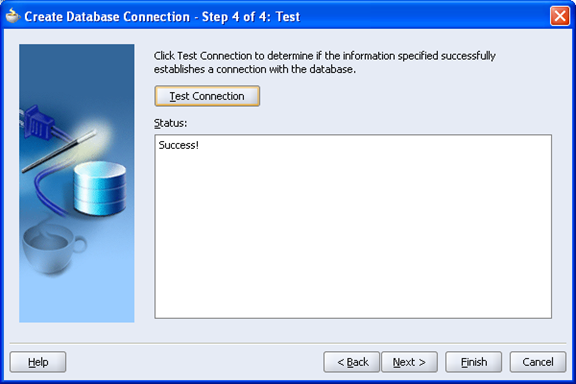
Click Next

Finish
In the Connections Navigator You can see the BPELOlite Connection